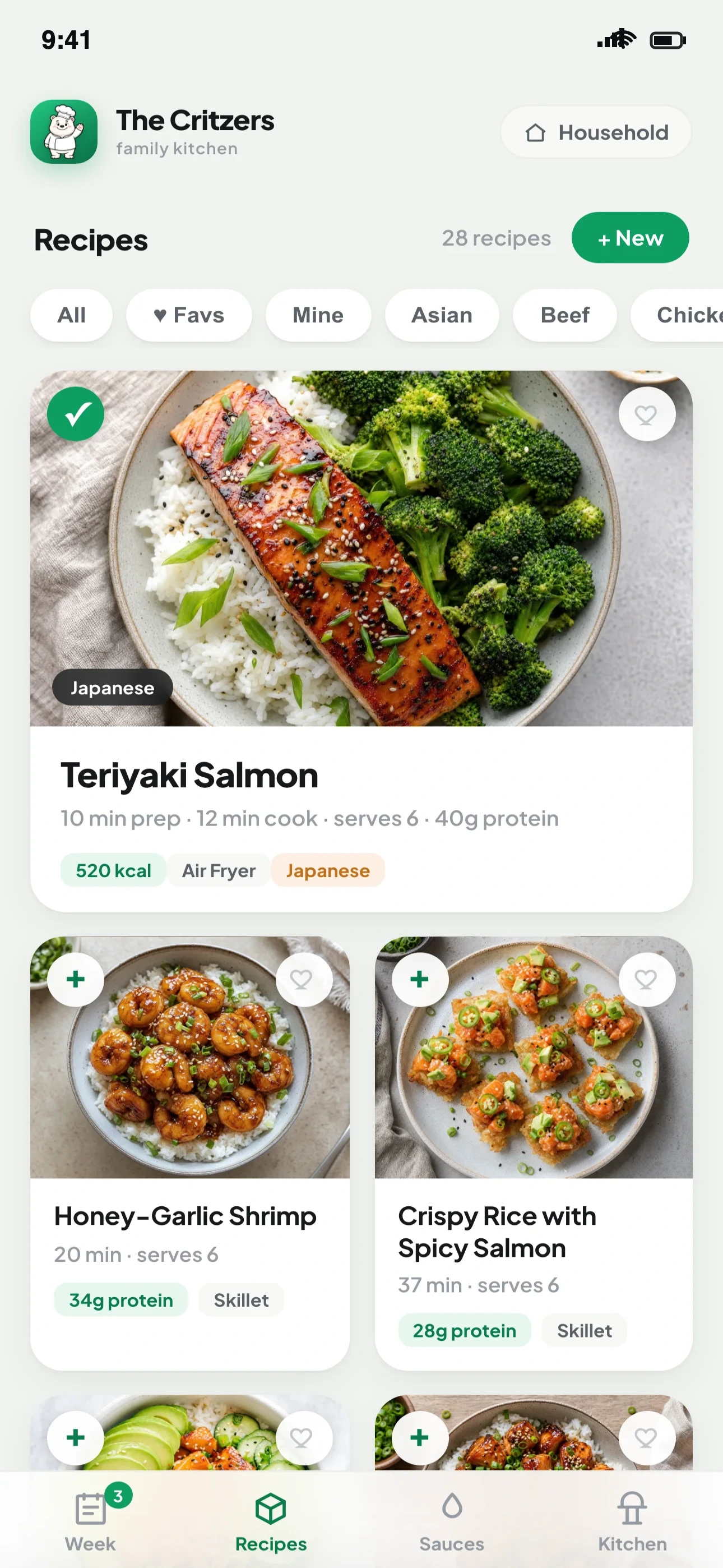
Plan the week, share it with everyone at home, ask any recipe for a swap, and turn it all into a one-tap grocery list. Free — on your iPhone and any browser.


Supper Bear ends the nightly “idk, what do you want?” standoff — one shared plan the whole house can see, and a grocery list that builds itself.
Out of an ingredient? Want it spicier? Cooking for a crowd? Supper Bear already knows the recipe — just ask. Tap a question to watch it work.

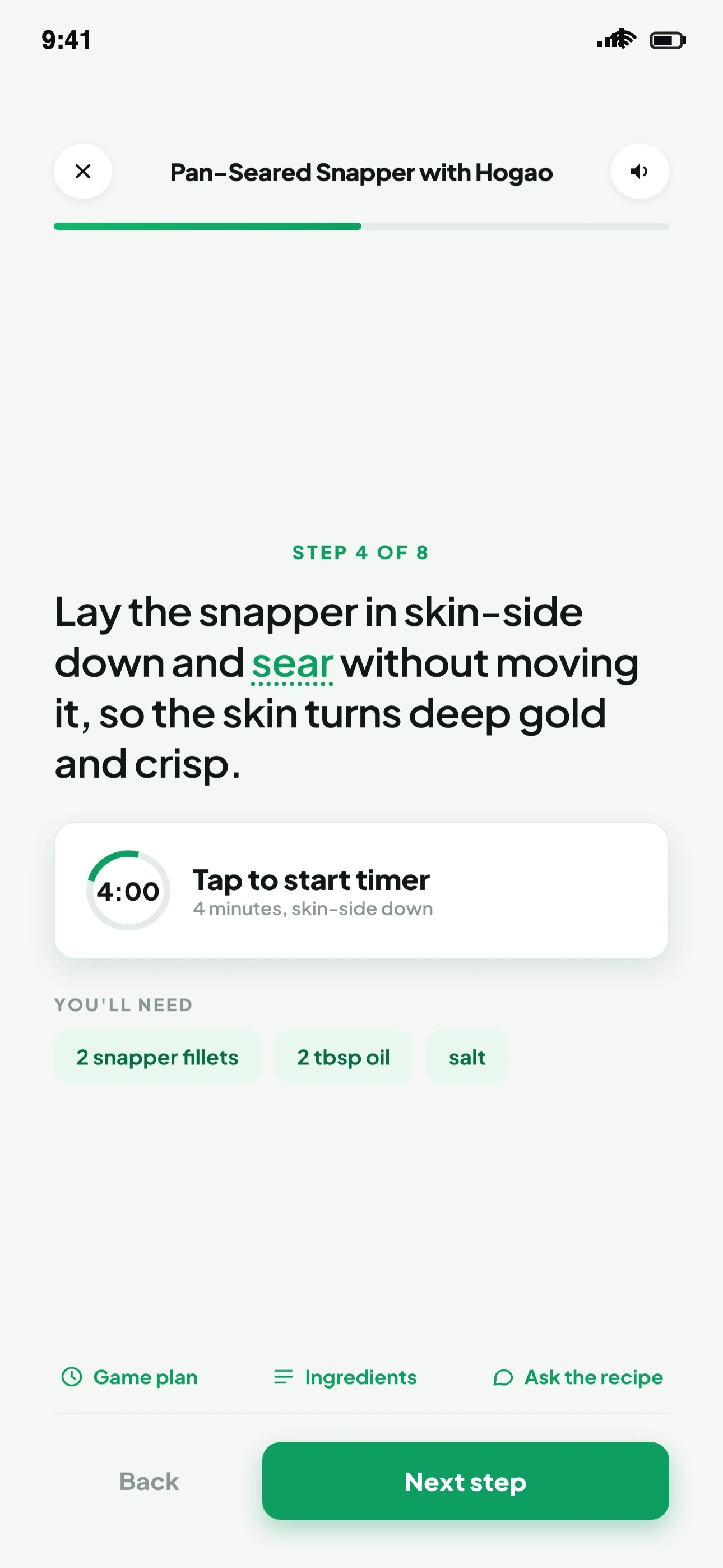
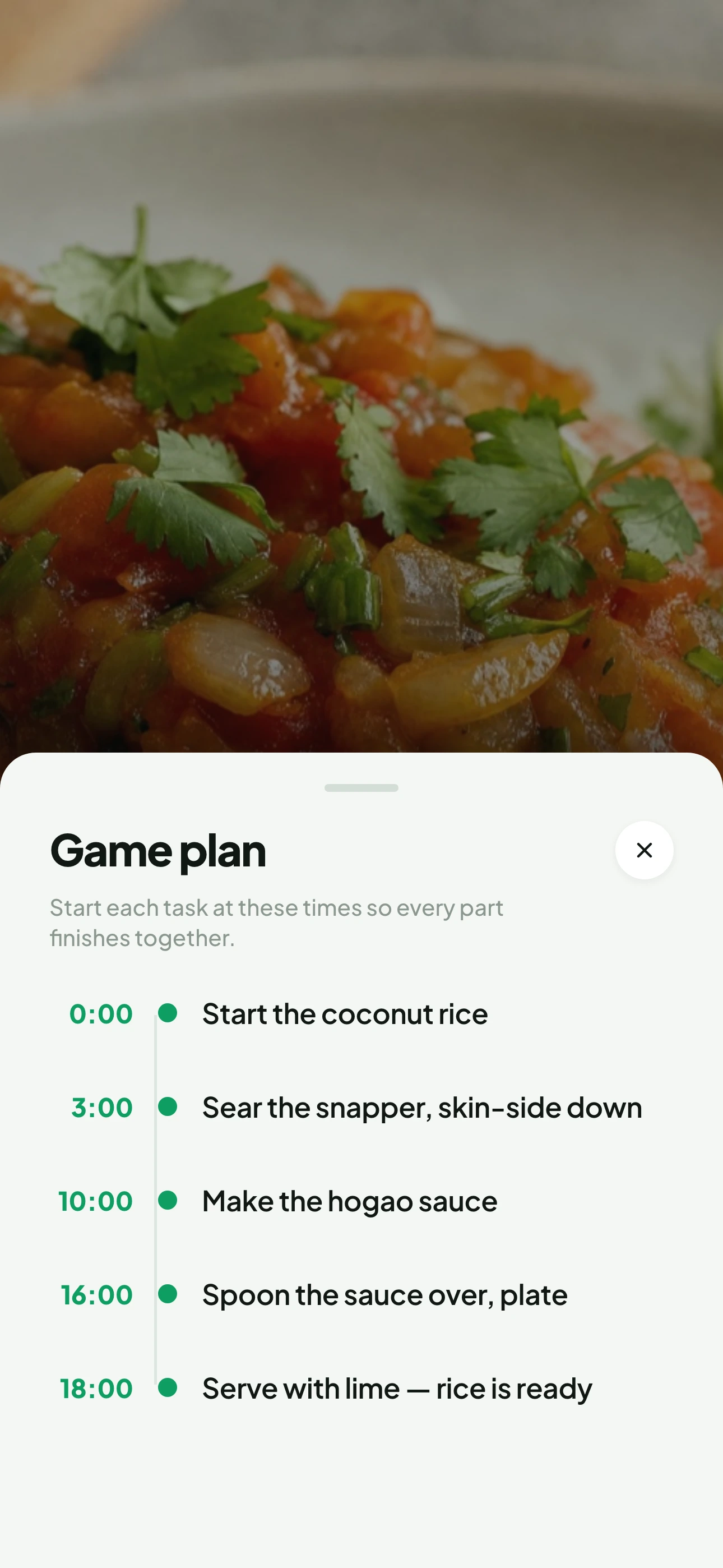
Step-by-step Cook Mode with tap-to-start timers, a plain-English glossary, and an AI game plan that times everything to finish together — plus a recipe you can ask anything, mid-cook.
Big readable steps, tap-to-start timers, and the exact amounts for that step. The screen stays awake while you cook.

A minute-by-minute plan so the rice, the fish, and the sauce all finish together — no more one part going cold.

No spreadsheets, no group texts, no nightly standoff.
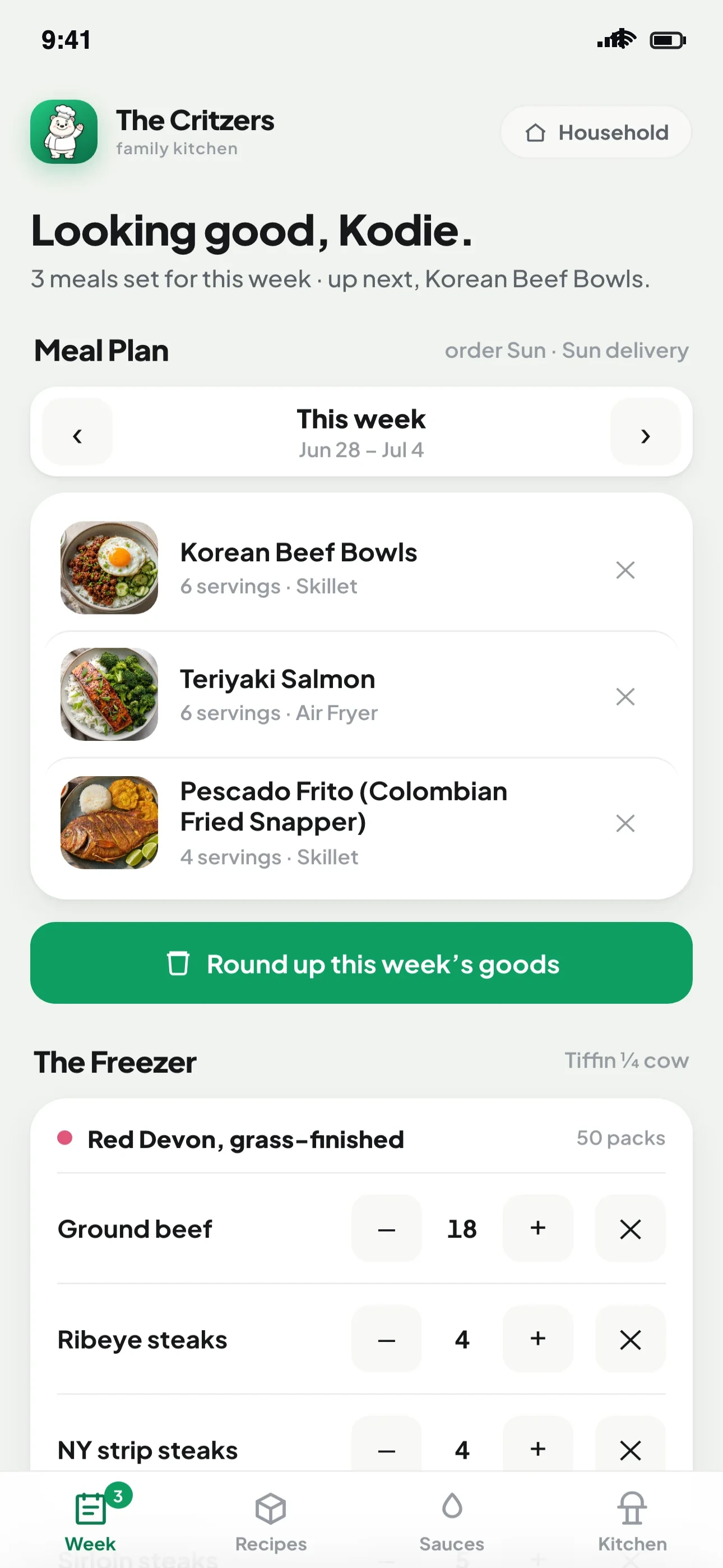
Drop recipes onto any day and everyone at home sees the plan instantly. No more “wait, are we doing tacos tonight?”

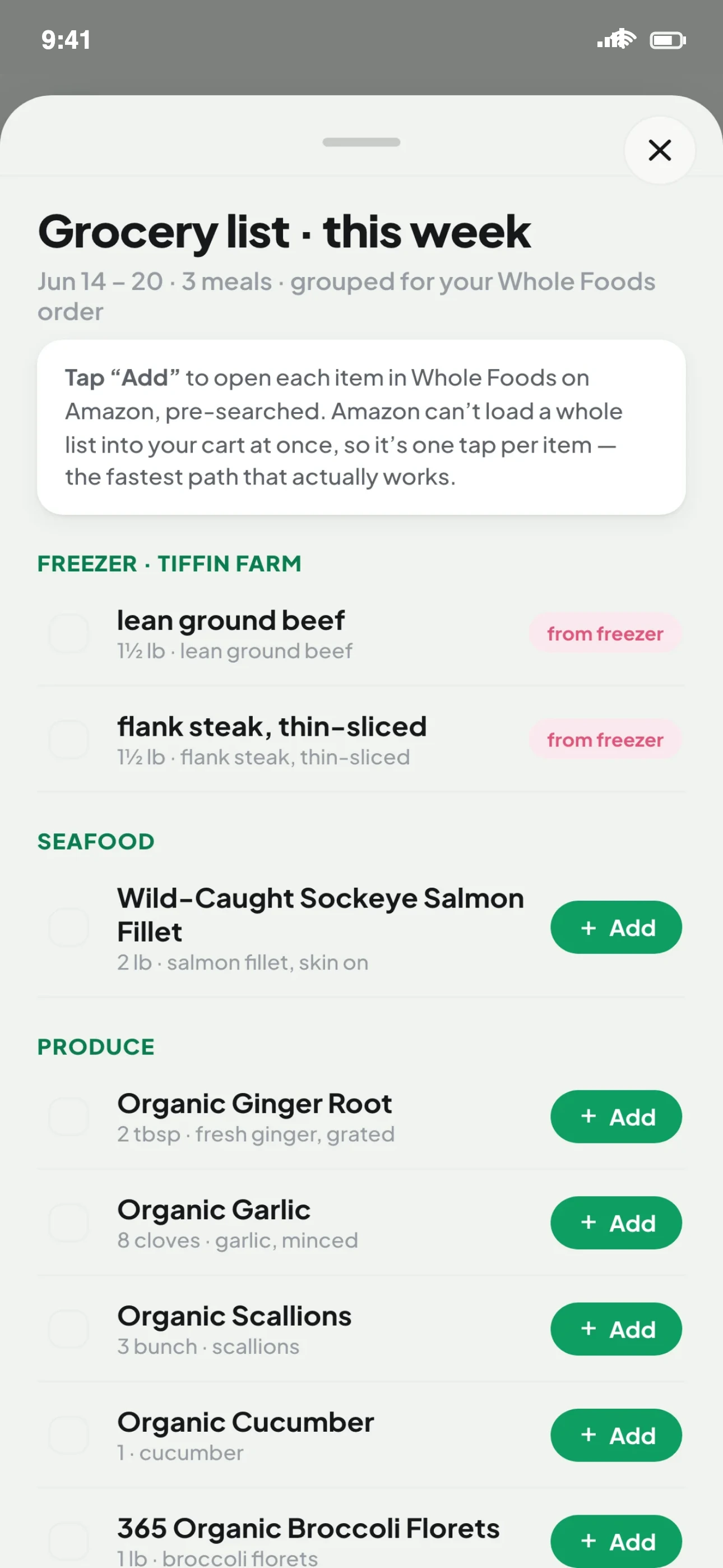
Your week rolls into a clean, sorted shopping list — ready for the store.

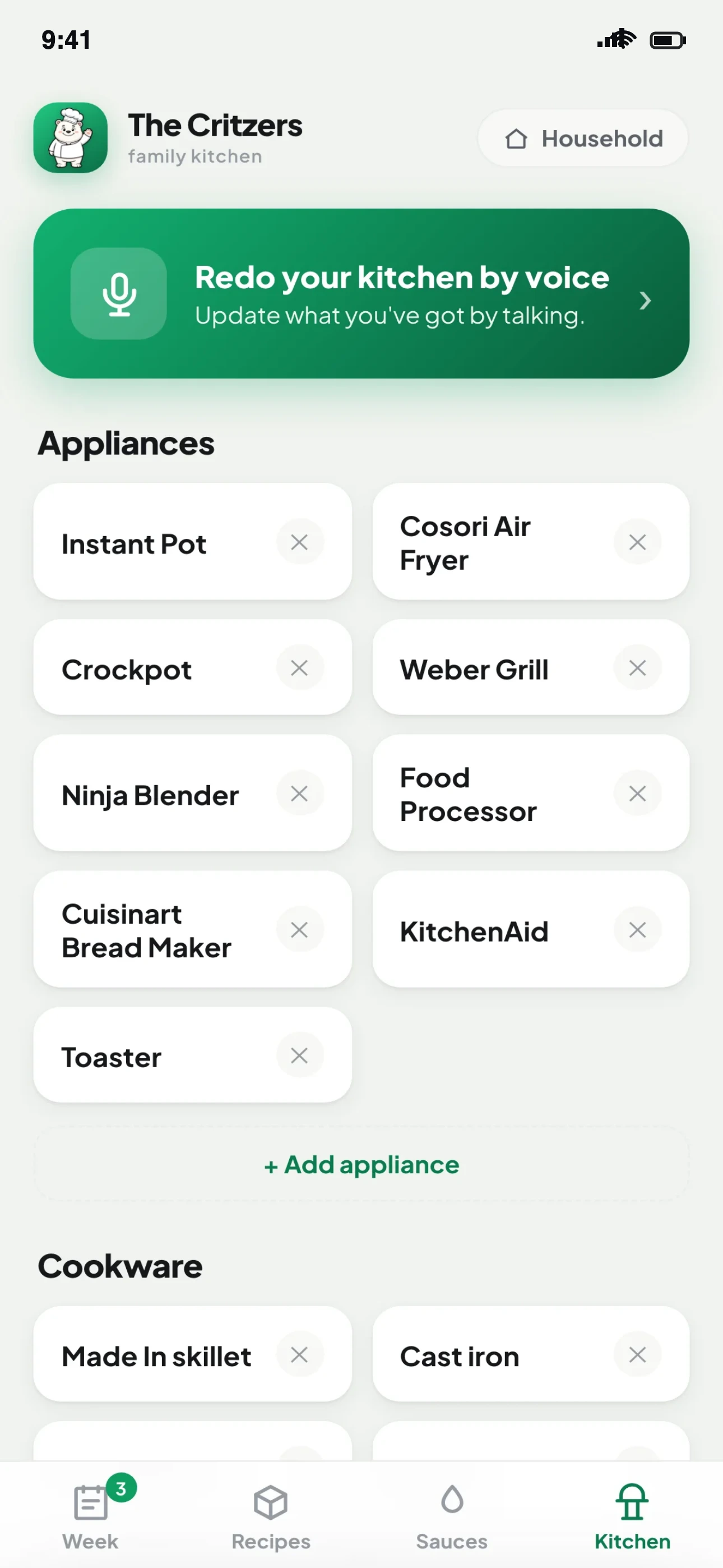
Pick a starter kitchen or just talk — recipes know what you can actually cook.

One invite code. Everyone signs in and sees the same plan and list, synced in real time across every phone.
Apple, Google, or a passwordless email code. Unlock with Face ID. No passwords to forget.
Sign in with Apple, Google, or email. Name your household and pick how stocked you are.
Share one code. Everyone sees the same plan and list, on every phone.
Drop in meals for the week, then turn it into a grocery list with one tap.
Yes — Supper Bear is free to use, with no ads and no third-party advertising trackers.
iPhone via the App Store, and any modern web browser on phones, tablets, and computers — so the whole household can use it on whatever device they have.
Each household has a simple invite code. Anyone you share it with signs in, enters the code, and sees the same meal plan, recipes, and grocery list, synced in real time.
Open any recipe and tap Ask about this recipe. It already knows the full recipe, so you can ask for substitutions with amounts, scaling, spice tweaks, or a different cooking method.
Sign in with Apple, Google, or a passwordless email code — your choice. On iPhone you can unlock with Face ID.
Yes. Open the Household tab and choose “Delete account.” It removes your account and your membership in any household.
Supper Bear is a product of BRCG Digital Partners Inc. Read our Privacy Policy and Terms of Service.
Plan it once, eat well all week. Free on iPhone and any browser.